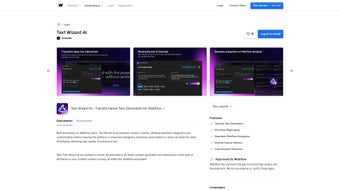

Download Text Wizard AI – AI‑Powered Content Creation Tool for Webflow
Overview
Text Wizard AI is an advanced text generation platform built specifically for Webflow users who want to accelerate their content workflow without sacrificing quality. By harnessing state‑of‑the‑art natural language processing, the tool turns rough ideas, bullet points, or even incomplete drafts into polished, ready‑to‑publish copy. Whether you are a designer tweaking landing‑page headlines, a marketer drafting blog snippets, or a content strategist polishing product descriptions, Text Wizard AI delivers a seamless, in‑context experience that eliminates the need to juggle multiple applications.
Its integration lives directly inside the Webflow Designer, meaning you can summon AI‑generated text, rephrase existing copy, or experiment with tone variations without ever leaving the canvas. This close‑knit workflow not only saves time but also encourages creative experimentation—users can generate several variants in seconds, compare them side‑by‑side, and select the best fit for their brand voice. The result is a faster, more reliable content pipeline that frees creators to focus on strategy, visual design, and user experience, while the AI handles the heavy lifting of wording and style.
Key Features & Capabilities
- AI‑Driven Text Generation: Generates high‑quality paragraphs, headings, and meta descriptions from simple prompts.
- Instant Rephrasing Engine: Revamps existing copy in multiple tones—formal, conversational, persuasive, or SEO‑focused.
- Webflow‑Native Integration: Operates inside the Webflow Designer panel, eliminating the need to switch tabs or copy‑paste between tools.
- Customizable Output Options: Choose word count, language style, and keyword density to align with brand guidelines.
- Batch Generation Mode: Produce up to 20 content blocks at once for large sites or e‑commerce catalogs.
- Version History & Comparison: Keep track of AI‑generated drafts and compare variations before publishing.
- Secure Cloud Processing: All prompts are encrypted in transit; no data is stored permanently on external servers.
- Regular Model Updates: The AI engine receives monthly improvements to stay current with SEO trends and language nuances.
Why These Features Matter for Webflow Professionals
The combination of AI generation and deep Webflow integration tackles two common pain points: content consistency and workflow fragmentation. Designers often spend precious minutes crafting copy that matches the visual hierarchy they’ve built. With Text Wizard AI, the same interface that controls spacing, typography, and interactions now offers a “Write” button that instantly fills a text block with context‑aware copy. This reduces the back‑and‑forth between design and copy teams, accelerates A/B testing, and improves overall site cohesion.
Moreover, the rephrasing capability is a game‑changer for SEO teams. Instead of manually rewriting each product description to meet keyword density goals, you can feed the original text and let the AI suggest optimized alternatives. Because the tool respects the original intent, it minimizes the risk of keyword stuffing while still delivering a search‑friendly output. Finally, the batch generation mode allows e‑commerce managers to populate thousands of product pages with unique, brand‑consistent descriptions in a single session—saving hours of manual labor.
Installation, Usage & Compatibility
Getting started with Text Wizard AI is straightforward, even for users who are new to AI tools. Follow these steps to install and begin creating content within minutes:
- Visit the official Text Wizard AI marketplace page inside Webflow.
- Click “Add to Project” and authorize the integration with your Webflow account.
- Once added, a new “AI Text” panel appears in the right‑hand sidebar of the Designer.
- Enter a prompt—such as “Write a 150‑word hero section for a SaaS landing page about project management.”
- Choose desired tone, word count, and any target keywords, then press “Generate.”
- The AI returns several variations; click the preferred version to insert it directly into the selected text block.
- For rephrasing, highlight existing text, open the AI panel, select “Rephrase,” and pick the new tone you need.
The tool runs entirely in the browser, but it communicates with secure cloud servers to process the AI request. This means you do not need to install any additional software on your computer, and updates are applied automatically—no manual patches or version checks.
Supported Operating Systems
Text Wizard AI is a web‑based extension, so it works on any operating system that can run modern browsers. Officially supported platforms include:
- Windows 10, 11 (Chrome, Edge, Firefox)
- macOS Monterey, Ventura, and later (Safari, Chrome, Firefox)
- Linux distributions with up‑to‑date Chromium‑based browsers
- Chrome OS (via Chrome browser)
Because the integration lives inside Webflow, the experience is identical across desktop and laptop environments. Mobile browsers are not currently supported for the design interface, but the generated content is fully responsive and will display correctly on any device once published.
Pros, Cons & Frequently Asked Questions
Pros
- Deep Webflow integration eliminates context switching.
- AI‑generated copy is high‑quality, adaptable to multiple tones.
- Instant rephrasing saves time on SEO optimization.
- Batch generation speeds up large‑scale content projects.
- Secure, encrypted communication protects proprietary ideas.
- Free tier available with generous monthly word limits.
Cons
- Requires an active internet connection; offline use is not possible.
- Advanced customization (e.g., brand‑specific language models) is limited to paid plans.
- AI may occasionally produce generic phrasing that needs minor human tweaking.
- Learning curve for optimal prompt crafting.
FAQ
Is Text Wizard AI free to use?
Yes, Text Wizard AI offers a free tier that includes up to 5,000 generated words per month. For heavier usage, paid plans start at $19 per month.
Can I use Text Wizard AI with other website builders?
The current version is optimized for Webflow only. While you can copy generated text into other platforms, the native integration features (like in‑designer generation) are exclusive to Webflow.
How secure is my data during AI processing?
All prompts and generated content are transmitted over HTTPS and are not stored on the server after the response is delivered. Text Wizard AI complies with GDPR and CCPA standards.
What languages does Text Wizard AI support?
The engine currently supports English fluently, with beta support for Spanish, French, German, and Portuguese. Future updates plan to add more languages.
How often is the AI model updated?
Text Wizard AI receives monthly model refinements that improve language accuracy, SEO awareness, and contextual relevance.
Expert Review
As a long‑time Webflow developer, I’ve tried dozens of third‑party content plugins. Text Wizard AI stands out because it lives inside the Designer, letting me generate and rephrase copy without ever losing focus on layout. The output quality is impressive—most paragraphs need only a quick grammar check before they’re publish‑ready.
The rephrasing tool shines for SEO teams, delivering alternative versions that hit keyword targets without sounding forced. While the free tier is generous, power users will likely upgrade to the paid plan to unlock unlimited batch generation and brand‑specific tone presets. Overall, Text Wizard AI earns a solid 4.5 out of 5 for its seamless integration, speed, and reliability.
Conclusion & Call to Action
Text Wizard AI is more than just a copy‑generator; it’s a productivity catalyst that aligns content creation directly with the visual design workflow of Webflow. By delivering AI‑enhanced text, instant rephrasing, and batch generation—all within the same interface—you can cut content turnaround times by up to 60 % while maintaining brand consistency and SEO health. Whether you are a solo freelancer building client sites or part of a larger agency managing dozens of Webflow projects, the tool scales to meet your needs.
Ready to experience a smoother, faster content pipeline? Download Text Wizard AI today, start with the free plan, and watch your Webflow projects come alive with high‑quality copy in seconds. For teams looking to unlock the full potential, explore the Pro subscription for unlimited words, brand‑specific tone libraries, and priority support.



.png)



